
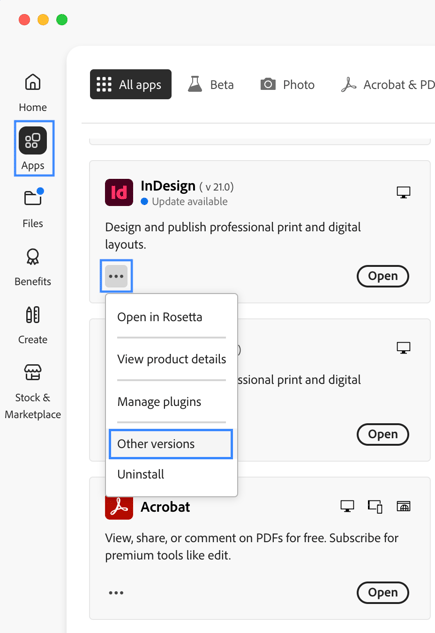
Two latest versions of Adobe InDesign/InCopy are available in the Adobe Creative Cloud. You can install earlier versions of InDesign/InCopy by navigating to Creative Cloud > Apps. After that, locate InDesign or InCopy, go to the Context Menu (three dots) and then click on "Other versions" to find previous versions of InDesign/InCopy.
If you need a version that isn’t available in Adobe Creative Cloud, please contact Adobe customer support here. We also recommend users not to uninstall older versions of the software.
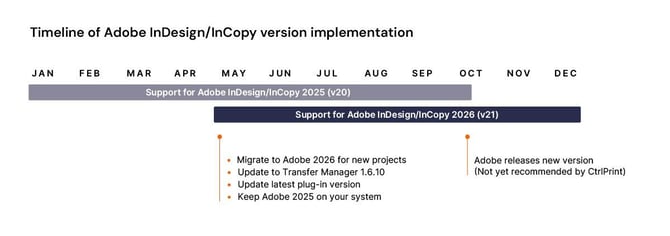
CtrlPrint generally supports the next latest version of InCopy/InDesign for the period running from October to May of the following year. We recommend that users use the latest InCopy/InDesign version starting in May.
To prevent automatic updates to your installation, please see the page below on how to adjust that setting in Adobe Creative Cloud.